What does Lantern draw?Your Power BI model: every table with its size, every relationship with its direction, every measure and what it depends on, and where each table's data comes from. Two views: the portrait and the measure lineage.
Is my model uploaded anywhere?No. The two files are read inside your browser and the drawing is made there. Your model never leaves your machine. The only thing the site sends is a cookie-free page-view count to our own analytics, with nothing about your model in it.
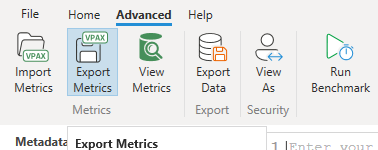
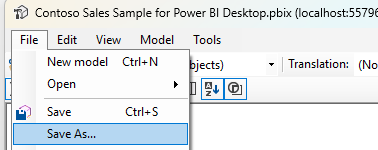
What is in a .bim and a .vpax file?The structure of your model: table and column names, relationships, measure formulas, Power Query text, row counts and sizes. Not the rows of your tables.
How do I see what a measure depends on?Open the Measure lineage view. Click a measure and everything it uses lights up, from the measures it calls down to the columns and tables.
Is it free?Yes. Drawing, exploring and snapshots are free for any number of models. The pack, both interactive views as files you can open anywhere, is $4.99 per model.
Can I use the pictures in my documentation?Yes. Snapshots are yours to put in your documentation, a handover or a review deck. If you would rather not show table names, hide them with the Names toggle on the portrait before you snap.